Software Issues

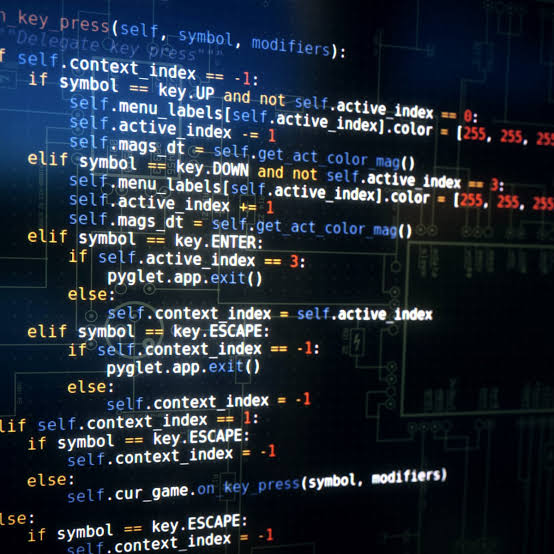
Computer Software Coding

Overview of Computer Software Issues

ICT server administration is the practice of setting up, managing, securing, and maintaining computer servers—both physical machines and virtual software—so that an organization's data, network services, and applications run safely, smoothly, and without unexpected downtime

Software issues are bugs, errors, or system flaws that cause unexpected behavior, crashes, or security vulnerabilities. They stem from coding mistakes, poor design, bad server setups, or unclear project requirements. Fixing them requires testing, debugging tools, and regular system updates

Common Types of Software Issues

  • Bugs and Logic Errors: Code fails to run right or gives wrong answers because of a mistake in the program rules.
  • Performance Bottlenecks: Slow loading times or frozen screens happen due to heavy database loads or bad code.
  • Security Vulnerabilities: Weak passwords, unpatched systems, or exposed data create openings for cyberattacks.
  • Compatibility Conflicts: Programs fail to work properly with older operating systems or different hardware

Read More

Computer Software Issues Offered

📌 Software Coding Services

A software issue is an error, flaw, or unexpected behavior in a computer program that causes it to crash, freeze, or give the wrong results. It is commonly known as a bug, defect, or system failure.

Software coding services involve hiring professional programmers to build, test, and maintain digital programs. Main offerings include custom application building, website creation, mobile apps, system updates, and cloud integration. Businesses use these services to automate tasks, fix technical issues, and launch new digital products

Core Types of Services

  • Custom Software: Built from scratch to solve specific business problems.
  • Web Development: Creating user interfaces and server-side code for websites
  • Mobile Apps: Building native or cross-platform apps for phones and tablets.
  • API Integration: Connecting separate software systems so they share data safely.
  • Maintenance & Support: Fixing bugs and updating security long after launch

📌 Software Troubleshooting Services

Software Troubleshooting Is a systematic process of identifying, diagnosing, and resolving bugs, crashes, or performance errors in programs and operating systems. It involves finding the root cause through steps like reproducing the issue, analyzing error logs, testing fixes, and verifying system recovery.

Core Steps in Troubleshooting

  • Identify: Write down error messages, user actions, and exact symptoms
  • Isolate: Try to recreate the problem and check what changed recently, such as a new update.
  • Diagnose: Look at system logs or run diagnostic tools to find the exact trigger.
  • Fix: Apply updates, clear cache, change settings, or reinstall the software.
  • Verify: Test the app to ensure normal operation returns

📌 Software System Issues

System software issues involve core low-level programs—like operating systems, device drivers, and utility tools—failing to manage hardware or support apps properly. Common problems include system crashes, update bugs, driver conflicts, and security holes that freeze devices or corrupt data.

Core Types of System Software Problems

  • System crashes: Sudden freezes, reboots, or blue screens caused by core code errors.
  • Update bugs: Bad patches that break device features or cause software conflicts.
  • Driver incompatibility: Outdated or broken drivers failing to connect hardware to the operating system.
  • Security flaws: Vulnerabilities that let malware or hackers access the core system.
  • Performance lag: Poor memory management or resource leaks that slow down the device

Common Fixes and Solutions

  • Update the system: Install the latest official patches from your OS vendor.
  • Run repair tools: Use built-in diagnostics like the Microsoft Support Guide to fix corrupted system files.
  • Reboot or use safe mode: Restart the computer or boot into a basic mode to isolate bad drivers.
  • Scan for malware: Clean out corrupting viruses with updated security software

Operating systems (OS) are the backbone of any computing device, providing essential services for applications and managing hardware resources. Despite their critical role, OS can encounter various issues that can affect performance, security, and user experience.

📌 System Support

helps users and businesses keep computers, networks, and software running well. It fixes technical errors, installs updates, and secures data.

Key Duties of System Support

  • Troubleshooting: Fixing hardware breakdowns, software glitches, and network errors.
  • User Assistance: Helping staff with password resets, access permissions, and basic tech questions.
  • Maintenance & Updates: Installing security patches, system upgrades, and routine backups.
  • Configuration: Setting up new computers, printers, and enterprise software

System support specialists provide help desk assistance and technical support for all types of issues affecting end users, such as software problems, network breakdowns, and hardware failures. They create and maintain user accounts. Learn and understand, interpret, and explain technology solutions to users; research technical materials to provide solutions to problems. Develop and maintain technical operating instructions and documentation; train staff on software applications and hardware usage.

Our Partners