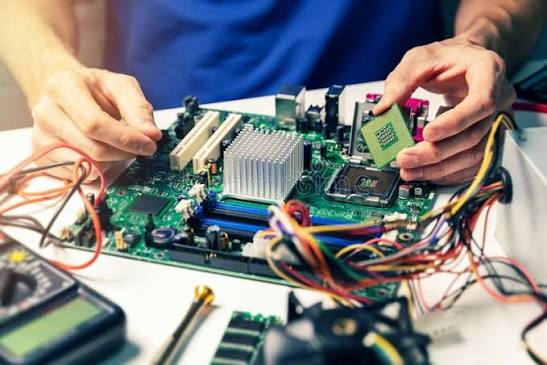
Hardware Issues

Computer Hardware Issues

Overview of Computer Hardware Issues

Computer Hardware consists of all the physical, touchable parts of a computer system. It works alongside intangible software, which provides the instructions needed to perform tasks like processing data, input, and output.

Internal Components

  • Central Processing Unit (CPU): Acts as the brain of the computer, executing mathematical and logical commands.
  • Motherboard: The main circuit board connecting the CPU, memory, and all other internal parts.
  • Random Access Memory (RAM): Fast, temporary volatile workspace holding data currently in use.
  • Storage Devices: Hard Disk Drives (HDDs) or Solid State Drives (SSDs) used for permanent data retention.
  • Graphics Processing Unit (GPU): Renders images, video, and visual content.
  • Power Supply Unit: Converts electrical power to safely run internal components.
Read More

External Peripherals

📌 External Peripherals Issues

  • Input Devices: Tools like keyboards, mice, and microphones used to enter data.
  • Output Devices: Hardware like monitors, speakers, and printers that present processed results.
  • Networking Hardware: Routers, switches, and network interface cards that manage communication between systems.

📌 Computer Maintenance Issues

Computer maintenance issues involve hardware, software, and performance problems. Key issues include overheating from dust, slow performance from full hard drives or background apps, malware infections, and outdated operating systems. Regular cleaning and updates prevent these failures

Common Hardware Issues

  • Overheating: Dust blocks fans and vents, causing random shutdowns or component damage. Clean vents using compressed air.
  • Hard Drive Failure: Mechanical drives slow down or fail over time. Monitor drive health and replace failing drives early.
  • Loud Fans: Debris or failing fan bearings create noise and reduce airflow

📌 Common Software Issues

  • Malware and Viruses: Unsafe downloads or missing firewalls introduce malicious software that slows systems or steals data. Run regular security scans
  • Full Storage: Low disk space causes freezing and poor performance. Delete junk files or move data to cloud storage.
  • Outdated Software: Old operating systems lack security patches. Install system updates regularly

📌 Computer Hardware Trends

AI-optimized silicon, Arm architecture expansion, and energy-efficient multi-vendor competition. Processing power now relies heavily on dedicated on-chip AI accelerators rather than raw clock speed alone, fundamentally changing how personal computers, servers, and edge devices are built.

Processing and AI Integration

  • Dedicated NPUs: Neural Processing Units are standard in new CPUs, handling machine learning tasks locally.
  • Arm Architecture Growth: Arm-based chips are gaining massive ground in laptops and desktops, challenging traditional x86 dominance.
  • Diversified Ecosystems: The processor market features multi-way competition across brands like AMD, Intel, Qualcomm, and Nvidia

Our Partners